
Free Fire Booster Mod APK: Why It's a Trap

· 5 min read
On this page
A Free Fire booster mod APK won’t lower your ping, and it can cost you the account you’re trying to carry to Heroic. The lag you’re chasing is nearly always about how your data gets routed to the game server, and no modded installer changes that path. Here’s what those files actually are and how to fix the lag without one.
What a “mod APK” booster really is
An APK is just Android’s installer file. A “mod” one has been repackaged by someone who isn’t the developer, then reuploaded to a random site. People mod a game’s APK to fake unlimited coins. A booster is different. It’s a network app, so there’s nothing to mod for free diamonds, which means a “modded booster” is either a fake panel printing made-up ping numbers or a clean-looking wrapper around adware.
Think about what you give up the second you sideload one. There’s no Play Protect scan and no store review standing between that file and your phone. You also can’t see what got stitched in between the real app and your download, and a repackaged game installer is a known way malware reaches phones, from hidden adware to click-fraud code riding along with the boost. You’re not getting a shortcut. You’re getting a stranger’s build with full trust on your device.
And here’s the part the download pages never mention.
The ban risk is the real cost
Free Fire runs anti-cheat. It looks for modified clients and third-party tools poking at the game, and Garena’s rules flat out prohibit that stuff. A booster that promises to mod or hack your performance is the exact category that system is built to catch. When it does, the ban hits your account, not the sketchy app you downloaded. Skins and rank included.
So the search really splits in two. You want less lag, and you don’t want to lose your account getting it. Those stop fighting each other the moment you drop the mod idea.
Lag comes in two flavors anyway. One is your phone struggling to draw frames. The other is a slow path between you and the server. A mod APK can’t safely fix either. A network booster fixes the second kind, and it does it without opening a single game file.
The fix that doesn’t get you banned
This is the whole job of LagX, and it’s the opposite of a mod. It works at the network layer, testing the routes out of your handset to wherever Free Fire’s server sits and locking onto whichever one is quickest and steadiest at that second. It never opens Free Fire’s files, never injects code, never touches game memory. No root, no jailbreak. That’s precisely why anti-cheat has nothing to grab.
Setup runs about a minute. Install it from the App Store or Play Store, pick Free Fire, tap Optimize. Only that game rides the better route, so your browser and any download keep using your ordinary connection, and you’ll barely see it in the battery.
Side by side, in a routing test alone, the default connection ran at 120-217 ms while the cleaner route held 28-32. A loot scramble at the drop taxes your line just as hard as any lane fight, so that number carries over.
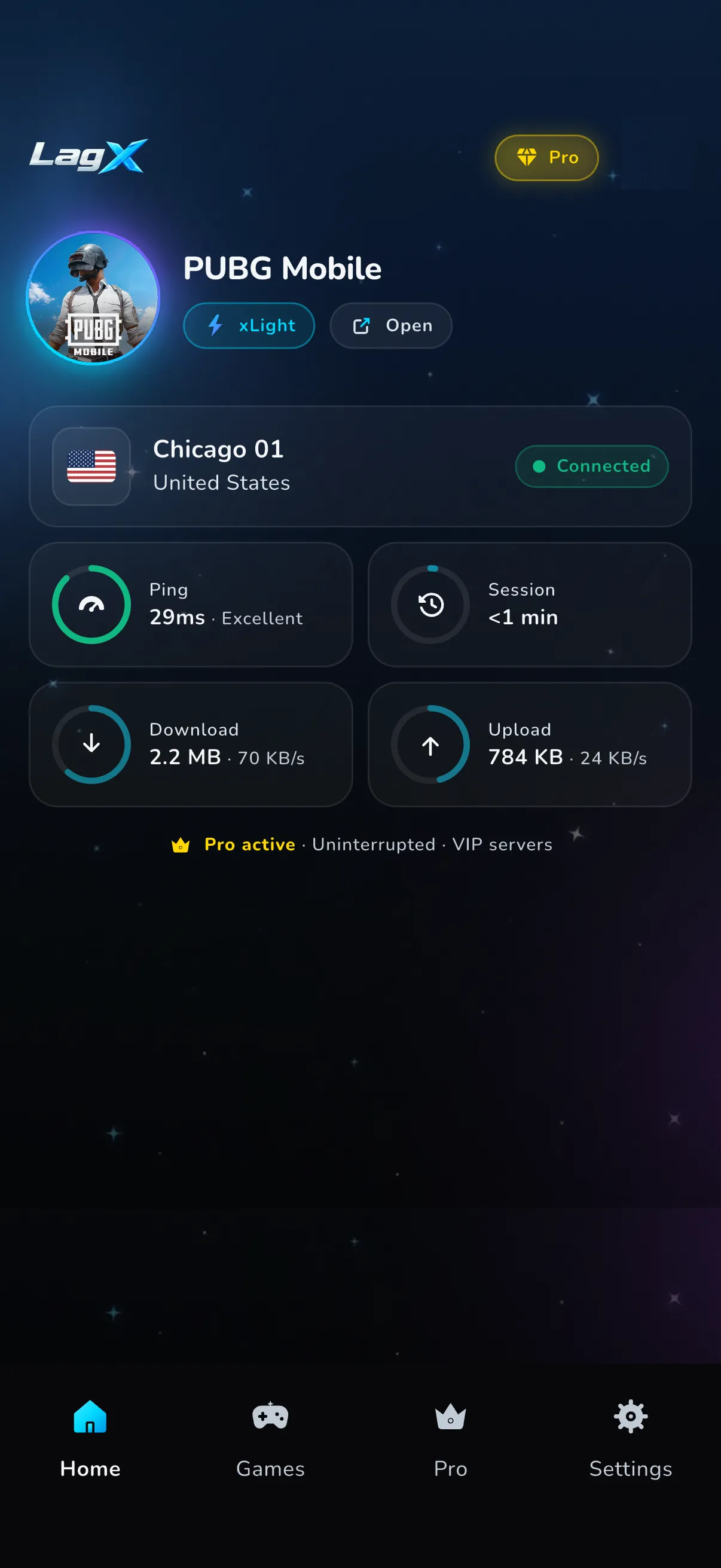
It’s free to download, and most regions get some free optimized time before Premium. No modded file, and nothing your account can get flagged for.
Real Free Fire fixes worth doing
A route swap won’t rescue a weak signal or cool a cooked phone. These will, and they cost nothing:
- Set graphics to Smooth with the frame rate on High, not Ultra resolution. Ultra looks nice and wrecks frames on a 2-4 GB phone. Smooth plus a high frame rate is what ranked players run for a reason.
- Wipe the app switcher before you queue up. A stack of open browser tabs sits on memory the game would rather have, and a photo backup uploading mid-match chokes your upload lane and drags your ping up with it, so pause it.
- Get on the 5 GHz Wi-Fi band and sit near the router. The 2.4 GHz band is crowded and slow. A solid 4G signal often beats far-away Wi-Fi.
- Let the phone breathe. About twenty minutes into a session a warm handset starts throttling and your frames dip, so pull the case off and stay off the charger while you’re in a match.
- Update Free Fire from the official store. Garena ships optimization patches often, and an old build stutters while the lobby around you runs clean.
Run those in order. Most Free Fire lag that survives all of them is high ping, which is a routing problem, not a settings one.
When none of it works
Sometimes the lag isn’t yours to fix. If Garena’s own servers are having a rough night, no app on your phone changes that, and waiting it out is the only move. Same story if your Wi-Fi drops packets before they even leave the house. A booster shortens the road your packets travel. It can’t pave a road that isn’t there. If you’re not sure which camp you’re in, how to fix lag in Free Fire walks the diagnosis and what counts as a good ping gives you the number to aim for.
The mod APK sold you a shortcut. The honest version is boring and it works: a real booster from the store, plus the in-game settings above. Your account’s still yours next season.
